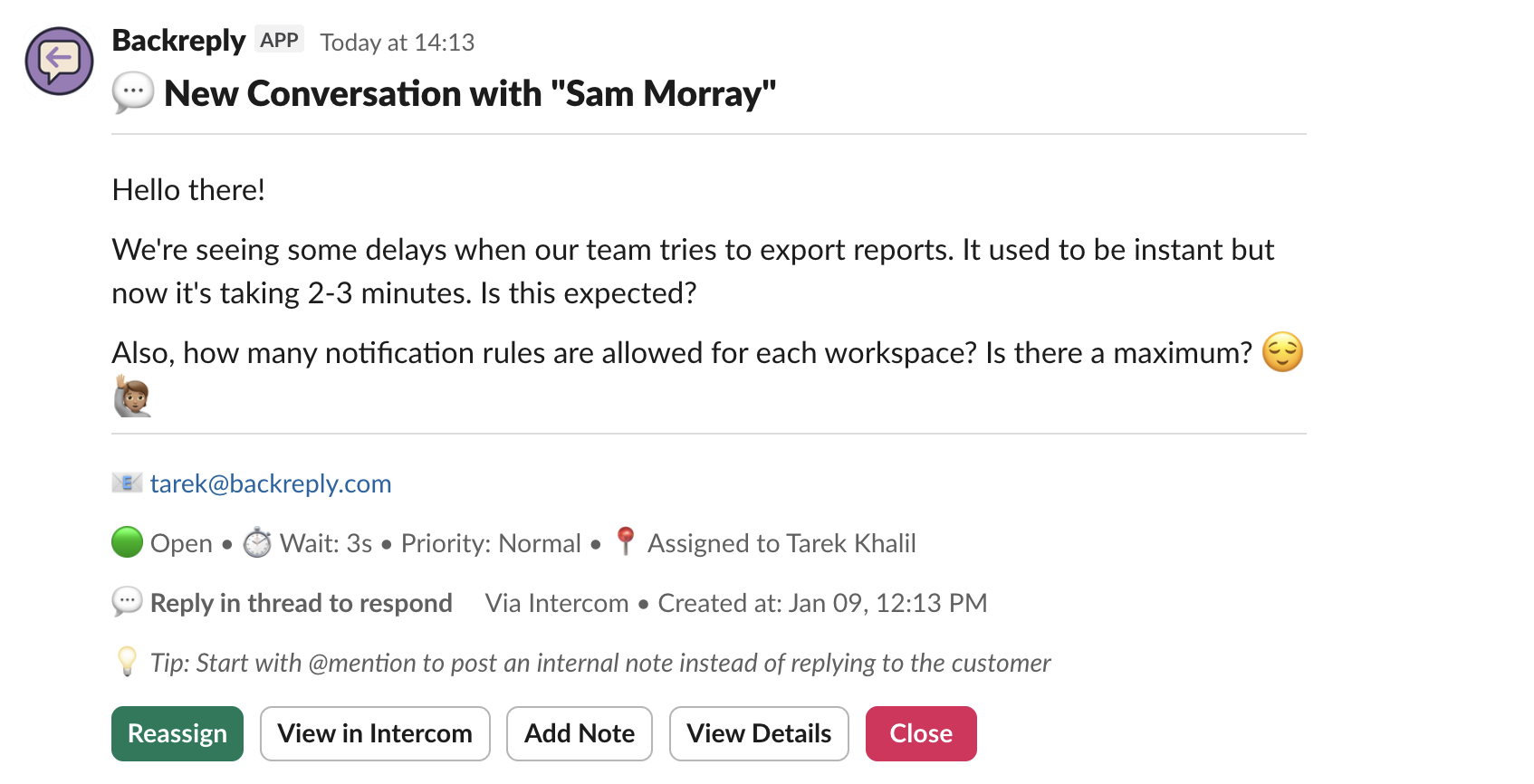
Available actions
Assign to Me
Claim ownership of conversations with one click
Reassign
Transfer to another teammate or team when you need to escalate
Add Note
Add internal notes visible only to your team, not customers
Close / Reopen
Mark conversations resolved or reopen when needed
View Details
See full customer context, company info, tags, and conversation history
View in helpdesk
Jump directly to the conversation in Intercom or HubSpot anytime
Fast workflows without new tools
Use Slack-native controls (buttons, menus) to keep the conversation moving. No new apps to learn—just faster actions.
- ✓One-click actions in message threads
- ✓Dropdown menus for quick selections
- ✓Keyboard shortcuts for power users
Anyone can help—even without a helpdesk seat
Team members who aren't mapped to a helpdesk seat can still claim conversations and take actions. Their actions are attributed to your team's shared operator account, ensuring everyone can participate in customer support.
Mapped users
Replies show: "Response from [Agent Name]"
Unmapped users
Replies show: "Response from [Your Company]"