A real reply flow (not just notifications)
- Reply in-thread (keeps context)
- See delivery status (sent/synced)
- Jump to the source conversation when needed
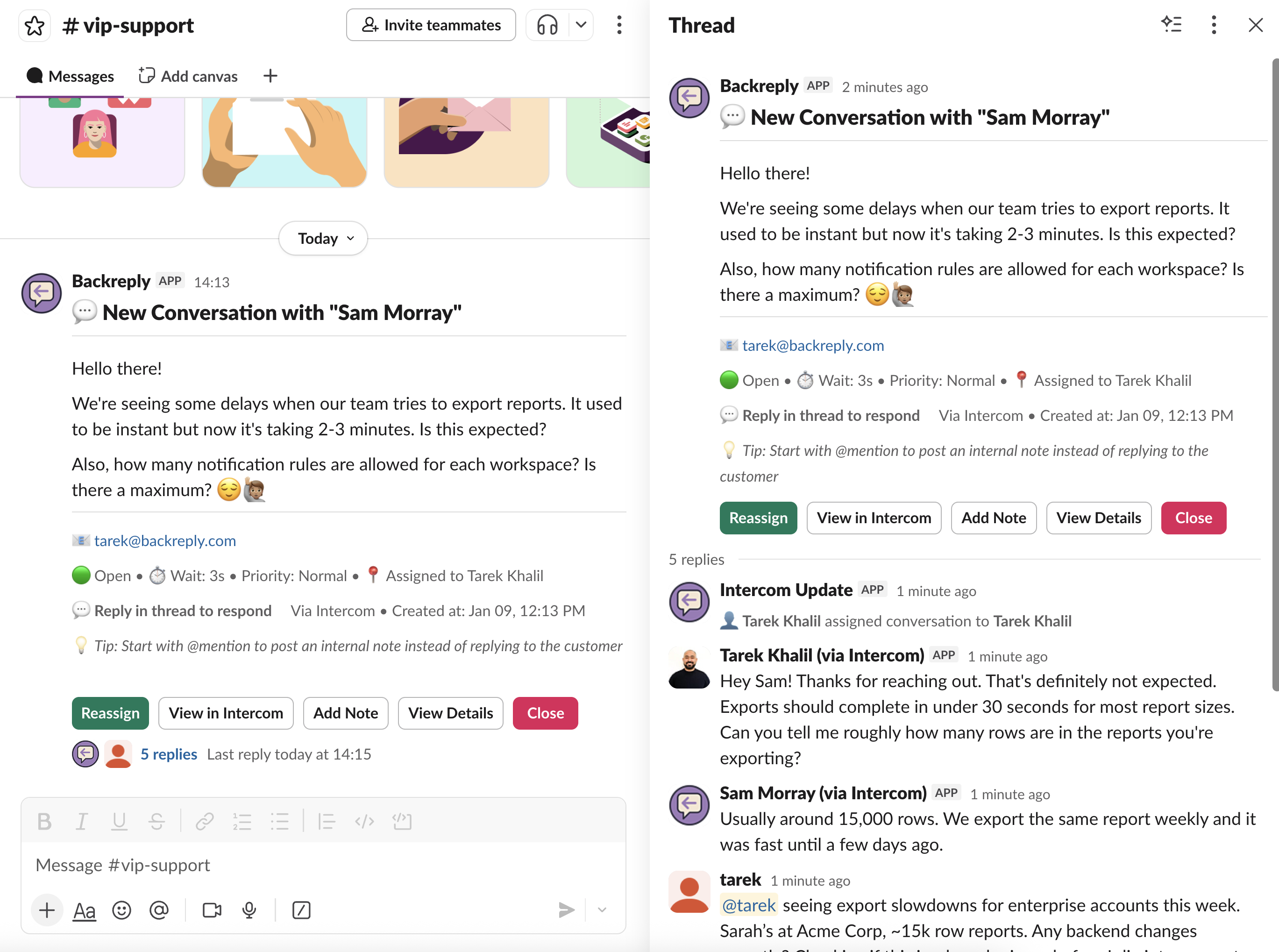
How it works
1
Connect your helpdesk
Secure OAuth to Intercom or HubSpot, in seconds
2
Install Slack app
Add BackReply to your workspace
3
Receive conversation notification
New conversations appear as Slack threads
4
Reply in thread
Write your response directly in Slack
5
Reply reaches the customer
Synced with attribution and formatting
Built for real support workflows
Clean formatting
Bold, italic, code blocks, lists, and emoji preserved in both directions
Attachments support
Up to 10 files per message, 50MB each. Images display inline with previews.
Full sync
Customer messages, agent responses, bot replies, and status changes all sync to Slack
Common questions
Can we restrict who can reply?
Yes. BackReply supports role-based permissions so you control exactly who can send replies to customers.
Do replies appear as the agent?
We support configurable identity mapping—replies can be attributed to specific agents or a team identity.