Slack as your team's working inbox
The pattern is the same whichever helpdesk you use: a customer writes in through Intercom or HubSpot, the conversation appears as a thread in the right Slack channel, a teammate replies in the thread, and BackReply delivers that reply back through the original conversation—so the customer gets a normal answer on the channel they wrote in from. Your helpdesk keeps the full history; Slack is where the work happens.
How to Install BackReply
Follow these simple steps to connect BackReply to your Slack workspace
Connect your helpdesk workspace
Once logged in, go to the Workspaces page and click New Workspace (or Create Your First Workspace if this is your first). You'll be redirected to Intercom or HubSpot to authorize BackReply. Make sure you have admin access to that workspace.
Connect your Slack workspace
After connecting your helpdesk, you'll be prompted to connect your Slack workspace. Authorize BackReply to post messages in your Slack channels. You'll need admin permissions or approval from your Slack workspace admin.
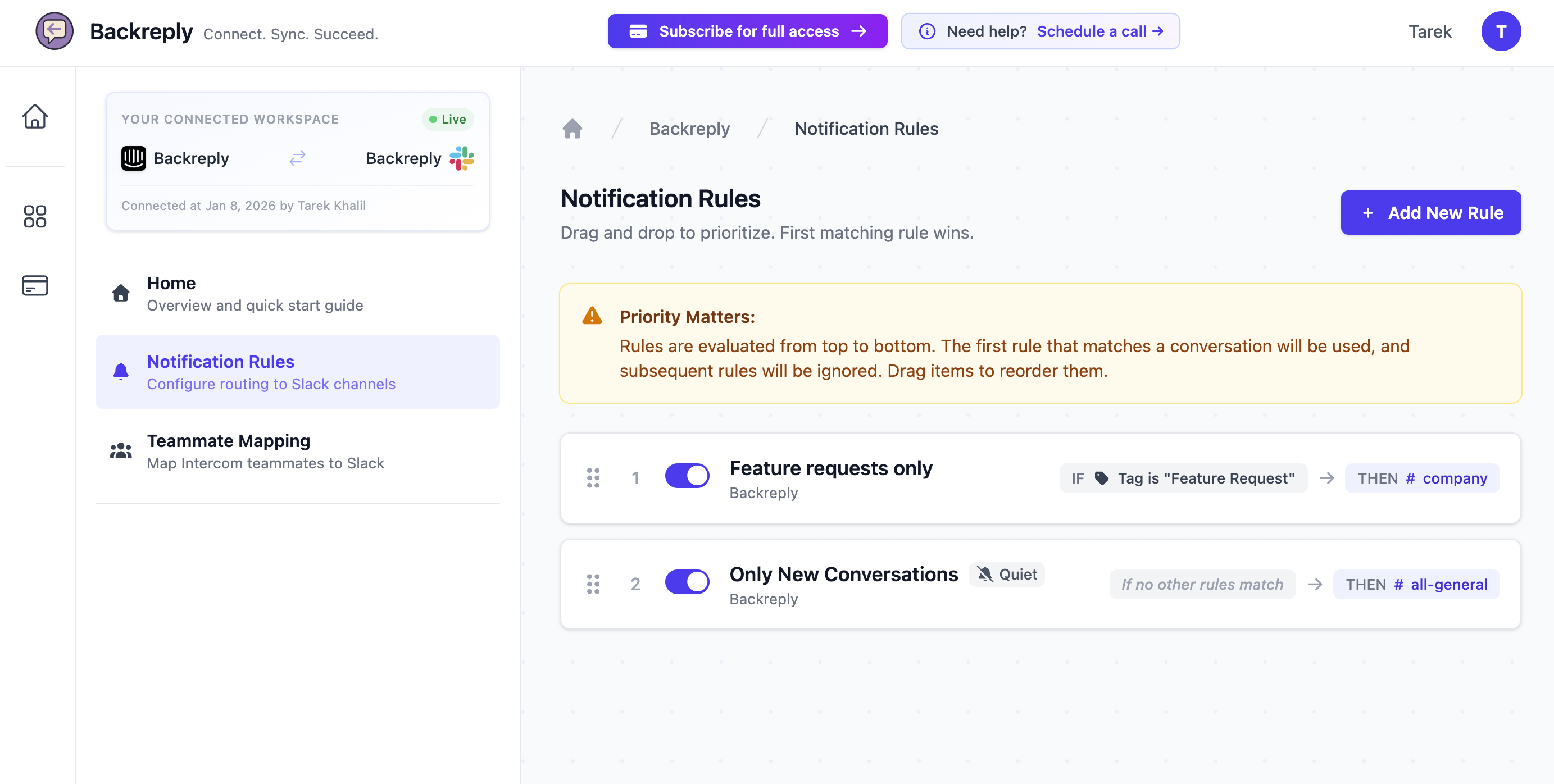
Configure your notification rules
Click on your workspace to open it, then click Configure under Notification Rules. Set up rules to determine which conversations go to which Slack channels. Intercom routes on tags, team, and assignee; HubSpot adds inbox, channel, status, and actor type.
Start replying from Slack!
That's it! New conversations will now appear in your configured Slack channels. Simply reply in the thread to send your response straight back to the customer.
Need help with installation? Contact us at team@backreply.com or visit our Support page
Native Slack experience
Threads for each conversation
Every helpdesk conversation becomes its own Slack thread with full context.
Slack actions (buttons/menus)
Use familiar Slack controls to assign, close, add notes, and view details.
Smart notifications (Nudges)
Never miss customer follow-ups. Nudges surface buried thread activity to the channel when customers need attention.
Channel routing that matches your org
- One channel per inbox for simple setups
- Multi-channel with ownership for complex routing
- Flexible rules based on conversation type, tags, assignee, or team
Prevent chaos with ownership
Claim / release / handoff
First responder claims ownership. Hand off to another team when needed.
Read-only in non-active channels
Other channels see status updates but can't accidentally send duplicate replies.
Clear ownership at all times
Always know who owns a conversation and who's responsible for the next reply.
Slack admin FAQ
What scopes does BackReply need?
BackReply uses minimal OAuth scopes—only what's needed to post messages, read thread replies, and manage reactions. No access to DMs or private channels unless explicitly added.
Who can post and reply?
You control permissions through Slack channel membership and BackReply role settings. Only authorized users can send replies to customers.
Can we limit BackReply to specific channels?
Yes! You can configure BackReply to only operate in specific channels, keeping it out of general workspaces.